holoride

VR and Account Management Apps

1. The Challenge

holoride introduces an entirely new media category: in-vehicle Extended Reality (XR). By combining navigation data with real-time physical vehicle movements (acceleration, braking, and cornering), passengers can experience immersive games, educational content, and movies while dramatically reducing motion sickness.

As the Lead UX Designer for account management and authentication, my challenge was to design a frictionless onboarding and subscription ecosystem that bridged the gap between the mobile app companion and the high-immersion VR headset environment.
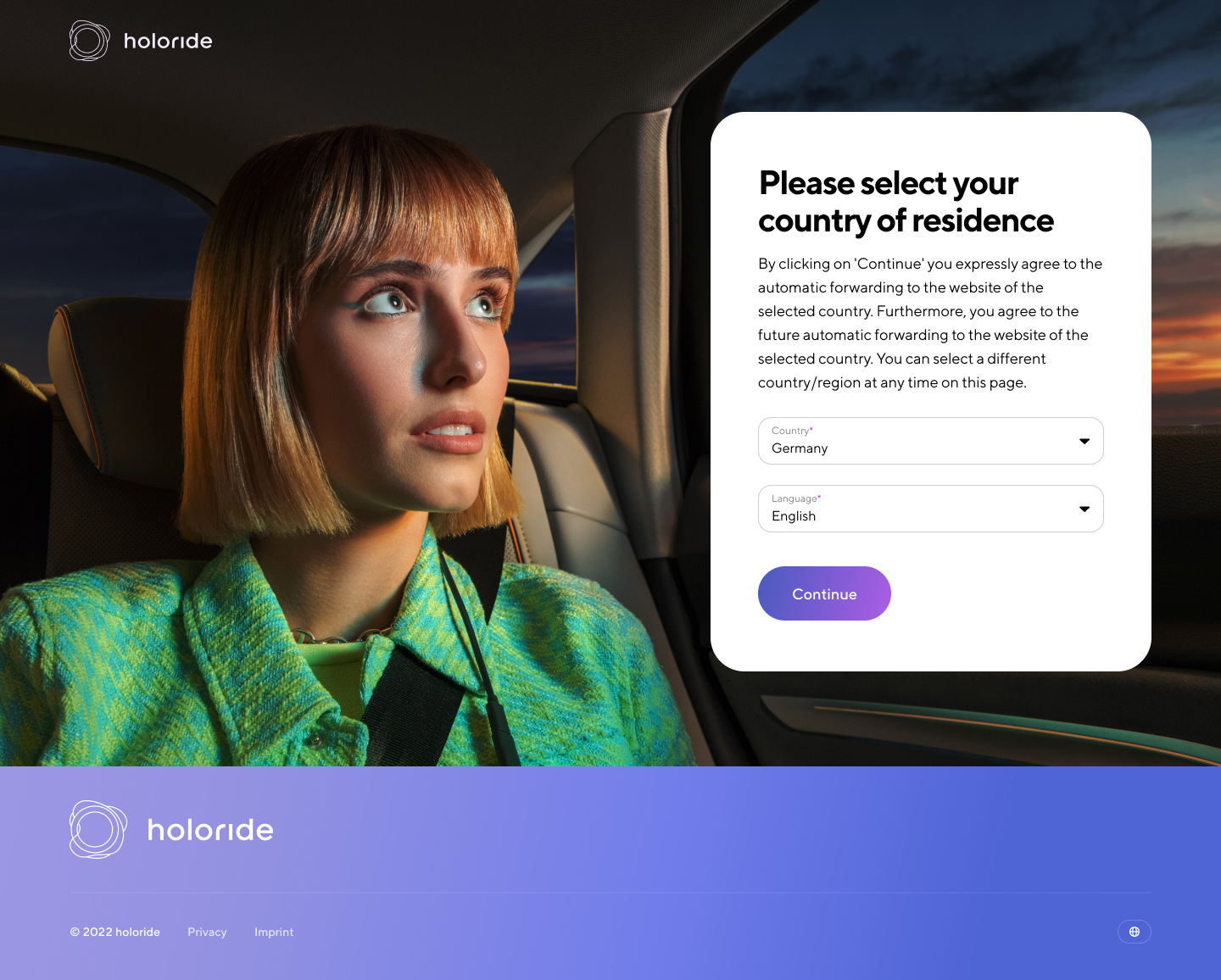
holoride screen 1

2. What Made It Difficult?

Cross-Hardware Dependency: Linking physical VR headsets (HTC Vive Flow), mobile companion apps, and in-car systems created complex cross-device authentication loops with high potential for user drop-off.

Complex Feature Scope: The platform required multi-tier account infrastructure, including sign-up/sign-in flows, headset pairing, subscription billing, and crypto/Web3 wallet integration.

Mobility Context Constraints: Onboarding and authorisation needed to be ultra-frictionless to accommodate users setting up devices in or around vehicles.

Multi-Stakeholder Alignment: Design choices had to align with external agency brand guidelines, internal product engineering constraints, and third-party partner integration standards.
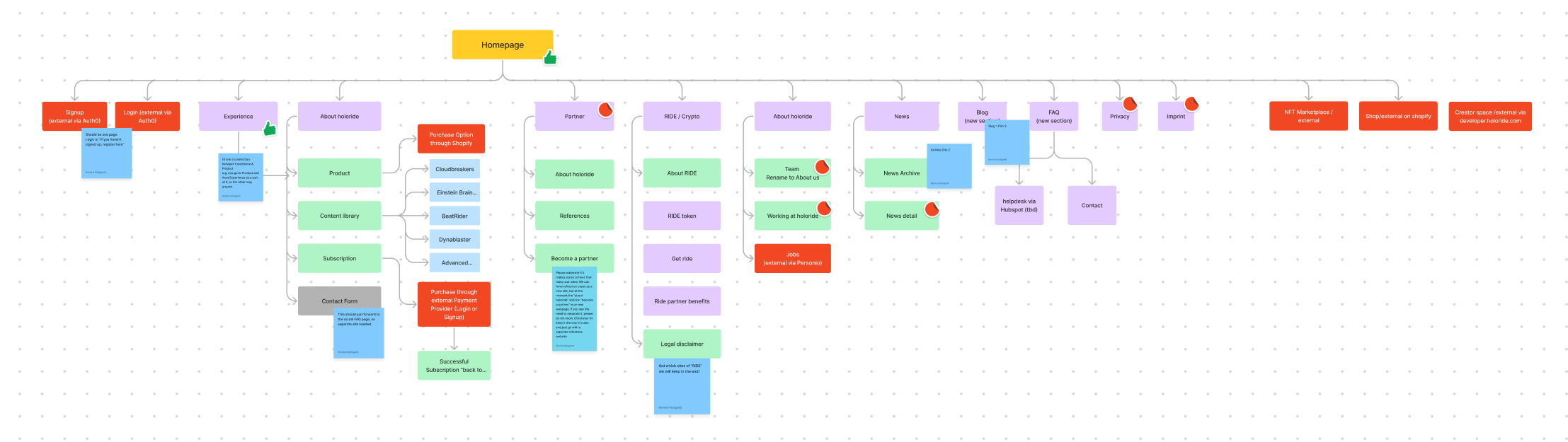
holoride flow sitemap

myholoride sitemap

3. My Role

As Lead Product Designer, I took end-to-end ownership of the UX architecture, interaction models, and UI design systems for the mobile-first Account Management web app (myholoride.com) and contributed to Unity-ready VR application interfaces.

  • Cross-functional alignment
  • Product strategy
  • Information architecture
  • User flows
  • Design system
  • High-fidelity UI
  • Prototyping
  • Developer handoff specifications
  • Internal presentations
  • Usability validation

4. What I Noticed

While the initial request focused on designing screens for account settings, the core challenge was cross-device setup friction.

Benchmarking platforms like Apple ID, Nintendo Switch, and Spotify highlighted that users expect single-touch authorization and minimal text entry during hardware pairing. Requiring long forms or complex auth steps while sitting in a car would derail adoption before users ever put on the headset.

5. How We Moved Forward

To bridge technical requirements with user experience goals, I led the cross-functional momentum:

Collaborative Discovery: Led team workshops (Miro) to map out end-to-end device pairing flows, establish key system states, and align stakeholders on MVP priorities.

Scope Prioritization: Deliberately phased advanced features (deeper social customization, expanded crypto integrations) as modular extensions so the team could focus on bulletproof core authentication and subscription workflows for launch.

Engineering Alignment: Partnered directly with developers to map backend API dependencies, refine edge cases, and translate Figma specs into Jira tasks for mobile and web implementation.

Design System Integration: Scaled external agency design guidelines into a cohesive UI component system, creating custom iconography and visual assets to maintain brand character across touchpoints.

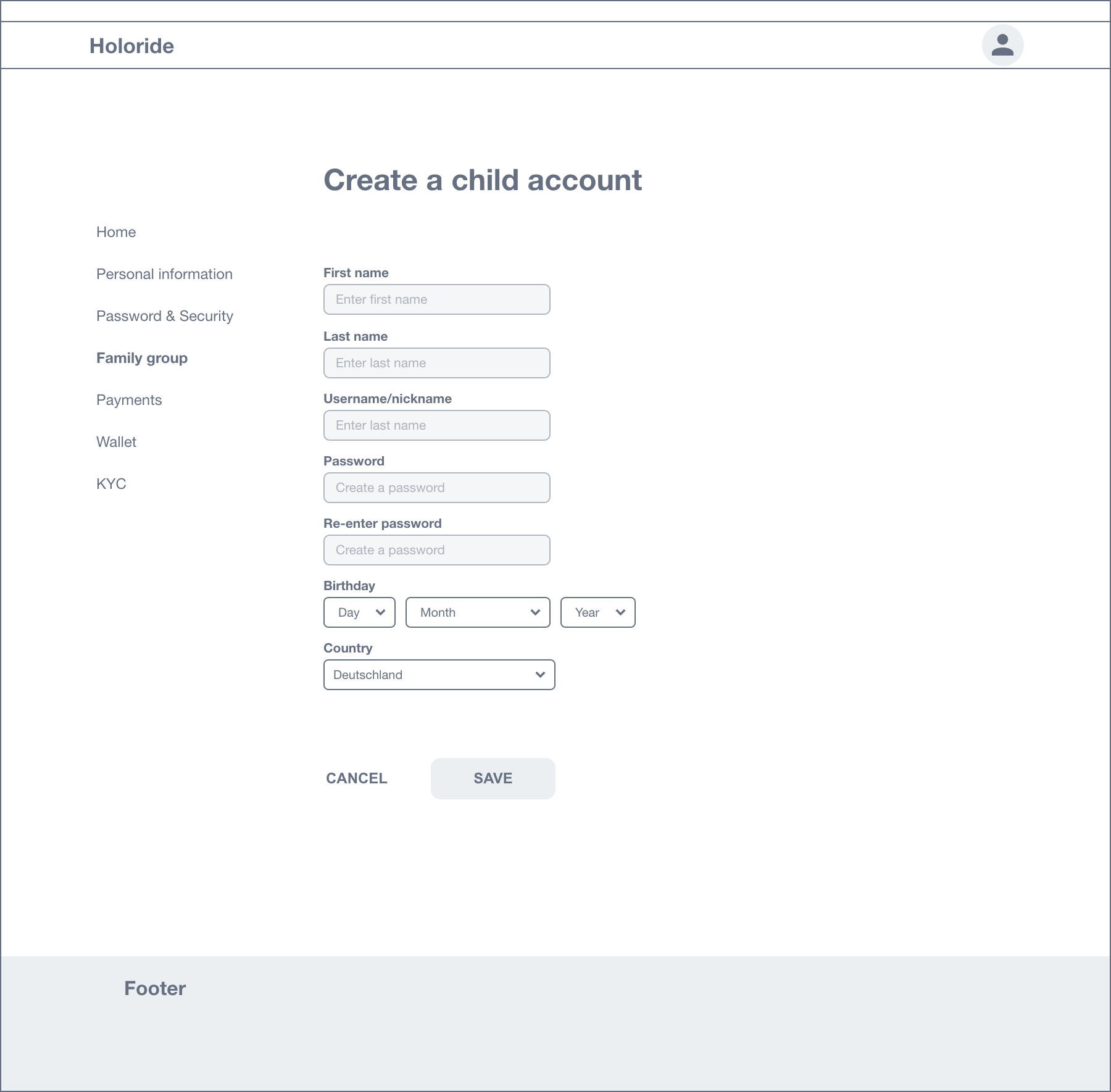
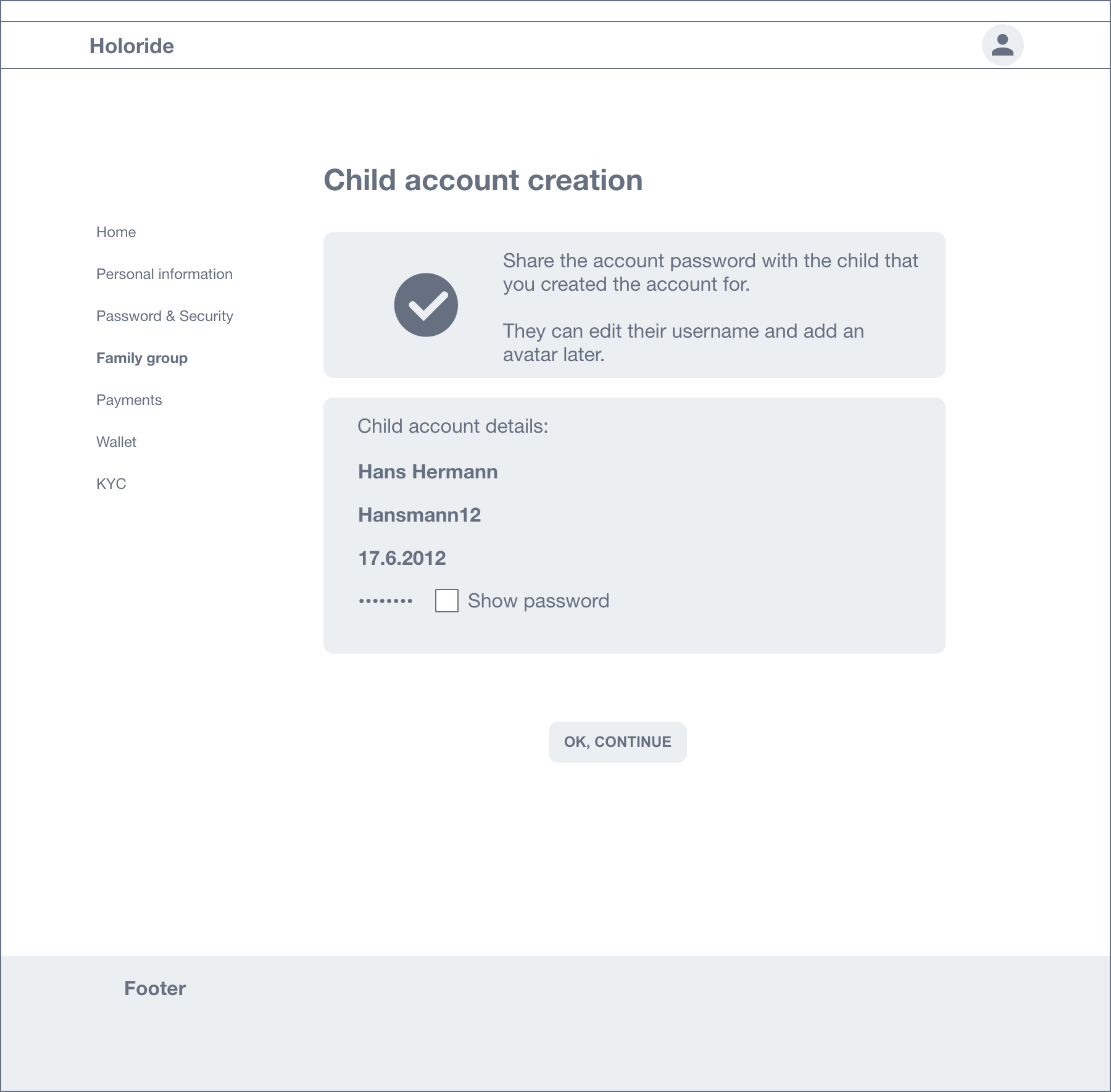
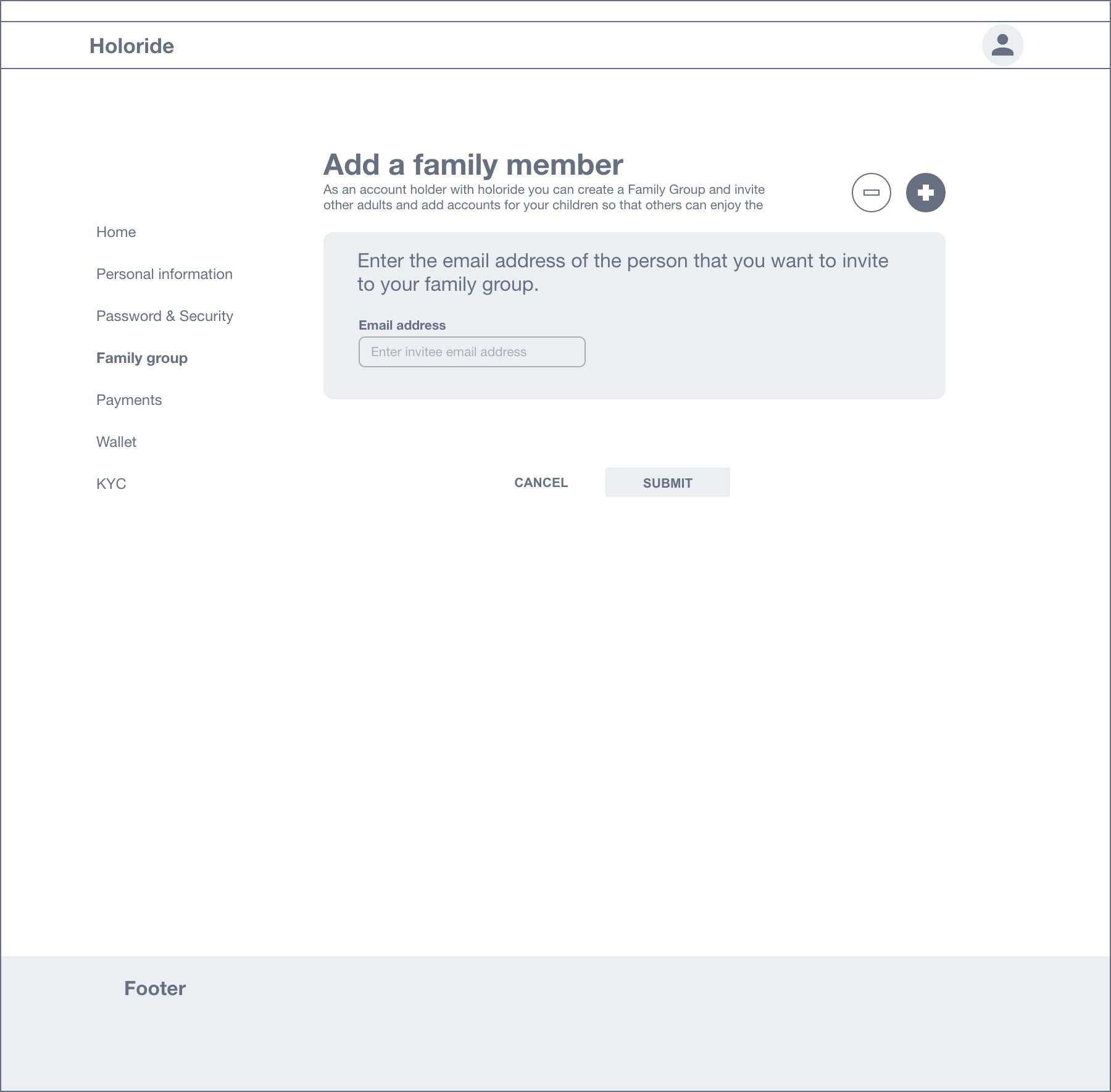
holoride Family ID and account management interface

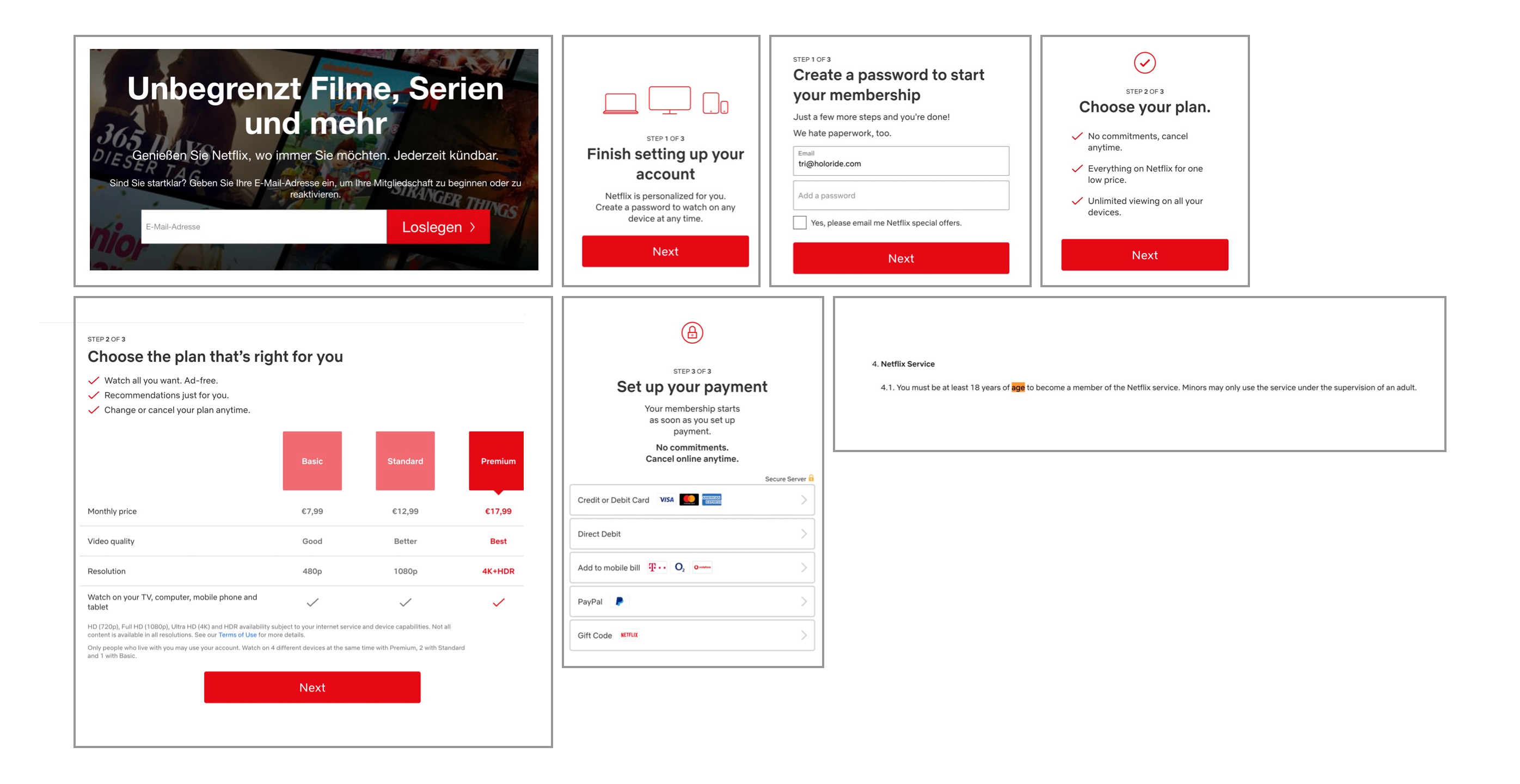
Research – Netflix flow

6. The Design Work

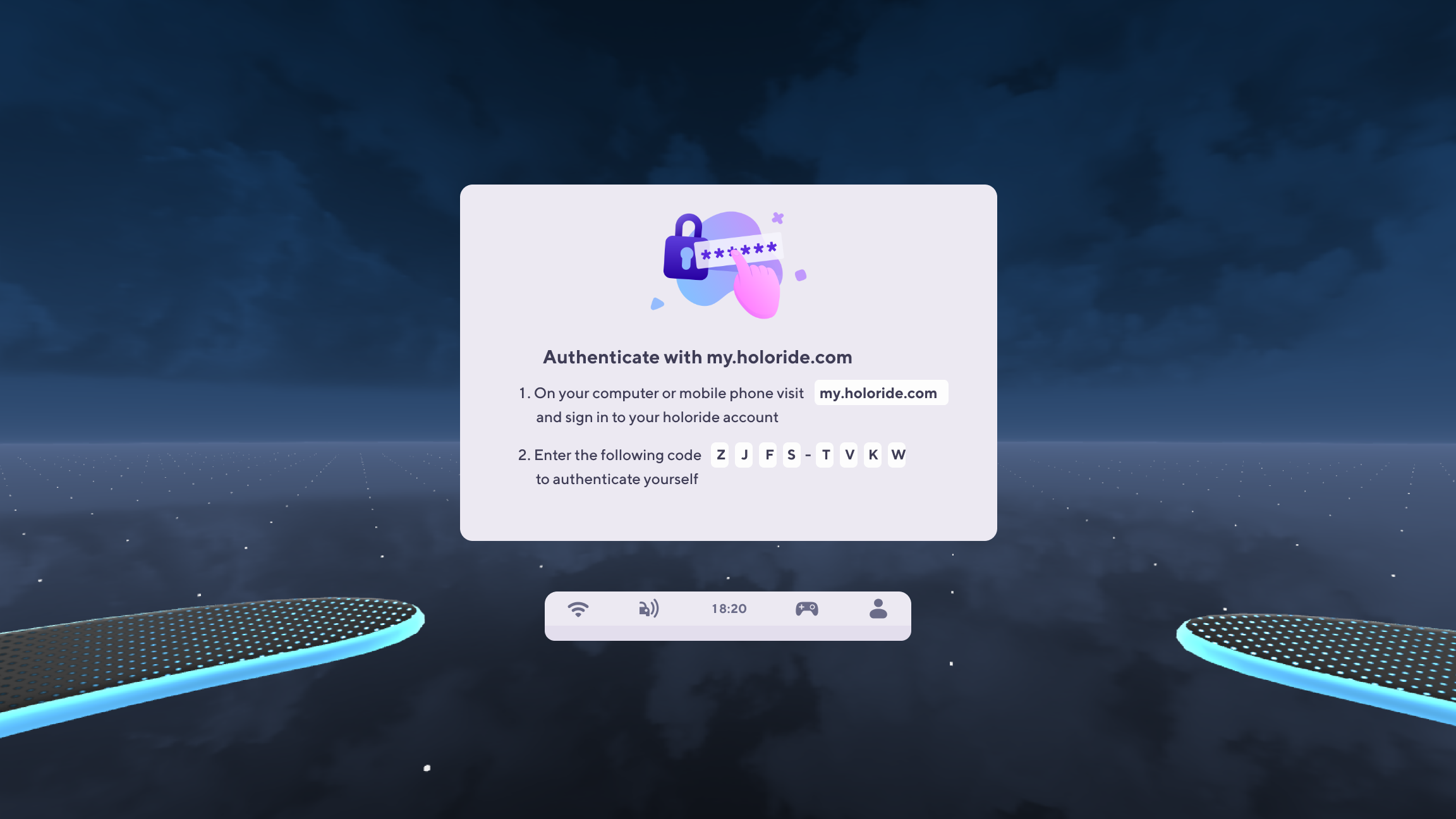
Cross-Device Authentication Flow: Simplified 2-step VR headset pairing and account authorization.

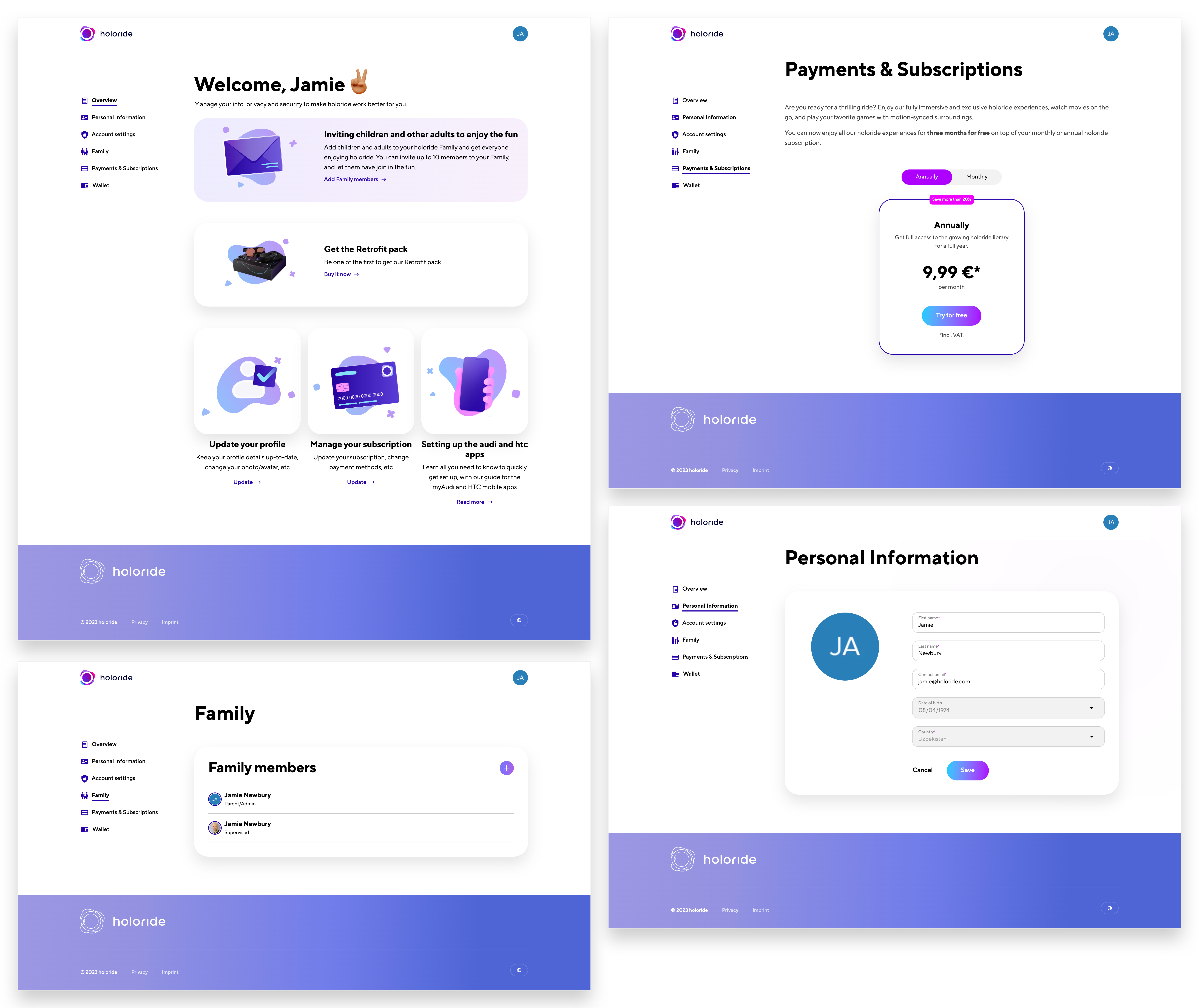
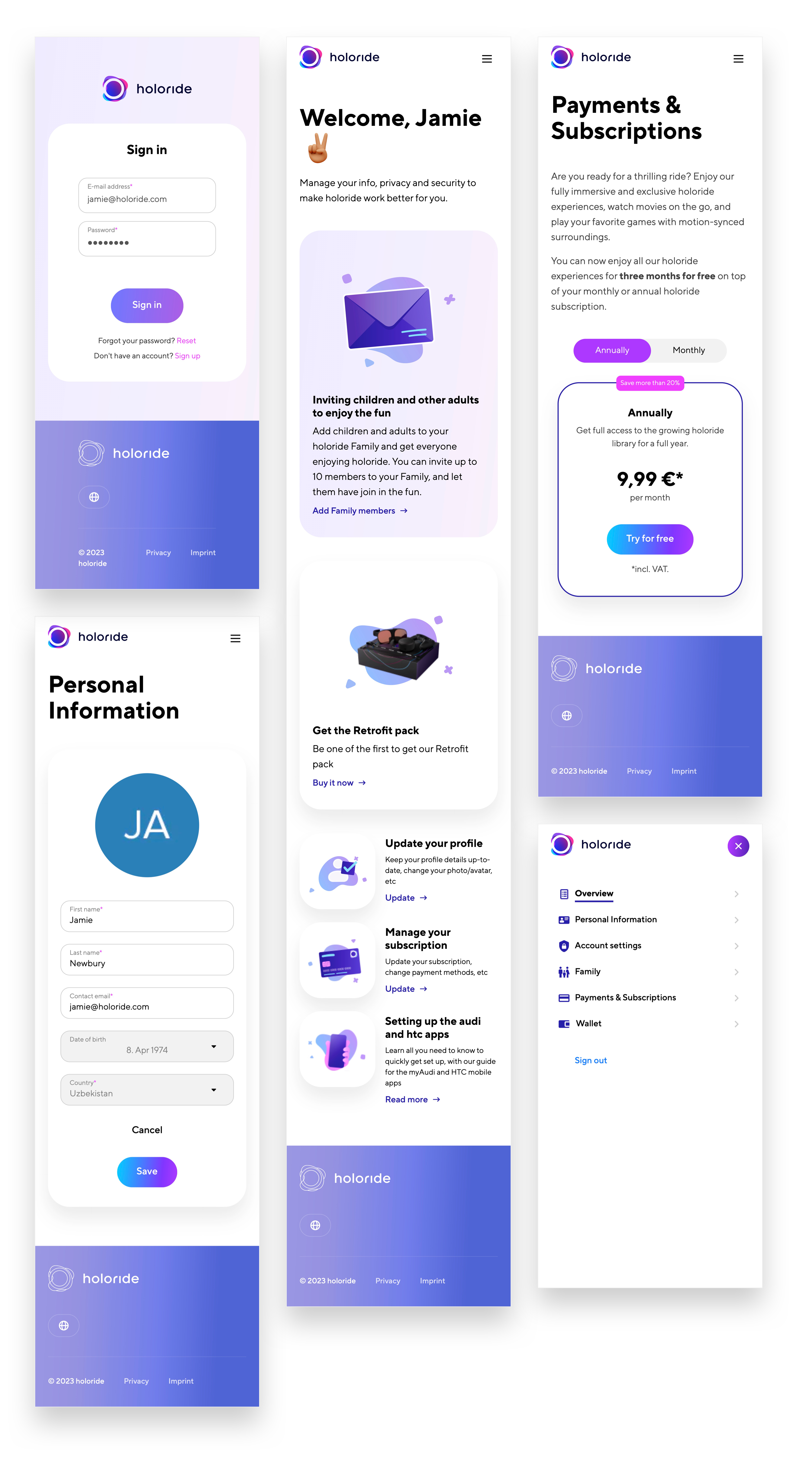
Mobile-First Dashboard (myholoride.com): Responsive account hub managing active subscriptions, payment details, and connected devices.

VR App UI System: Clean, high-contrast interface components optimized for spatial legibility and Unity deployment.

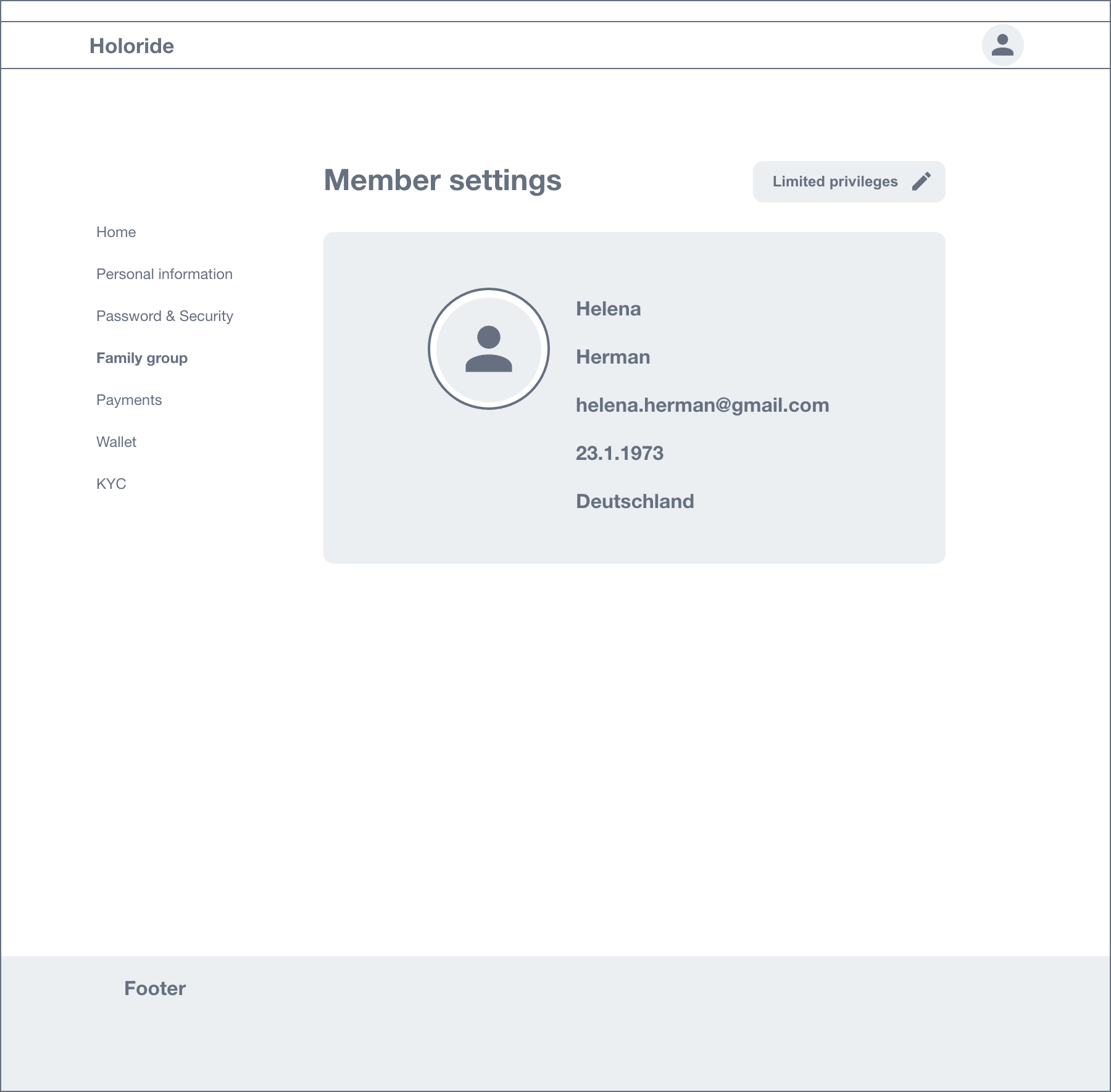
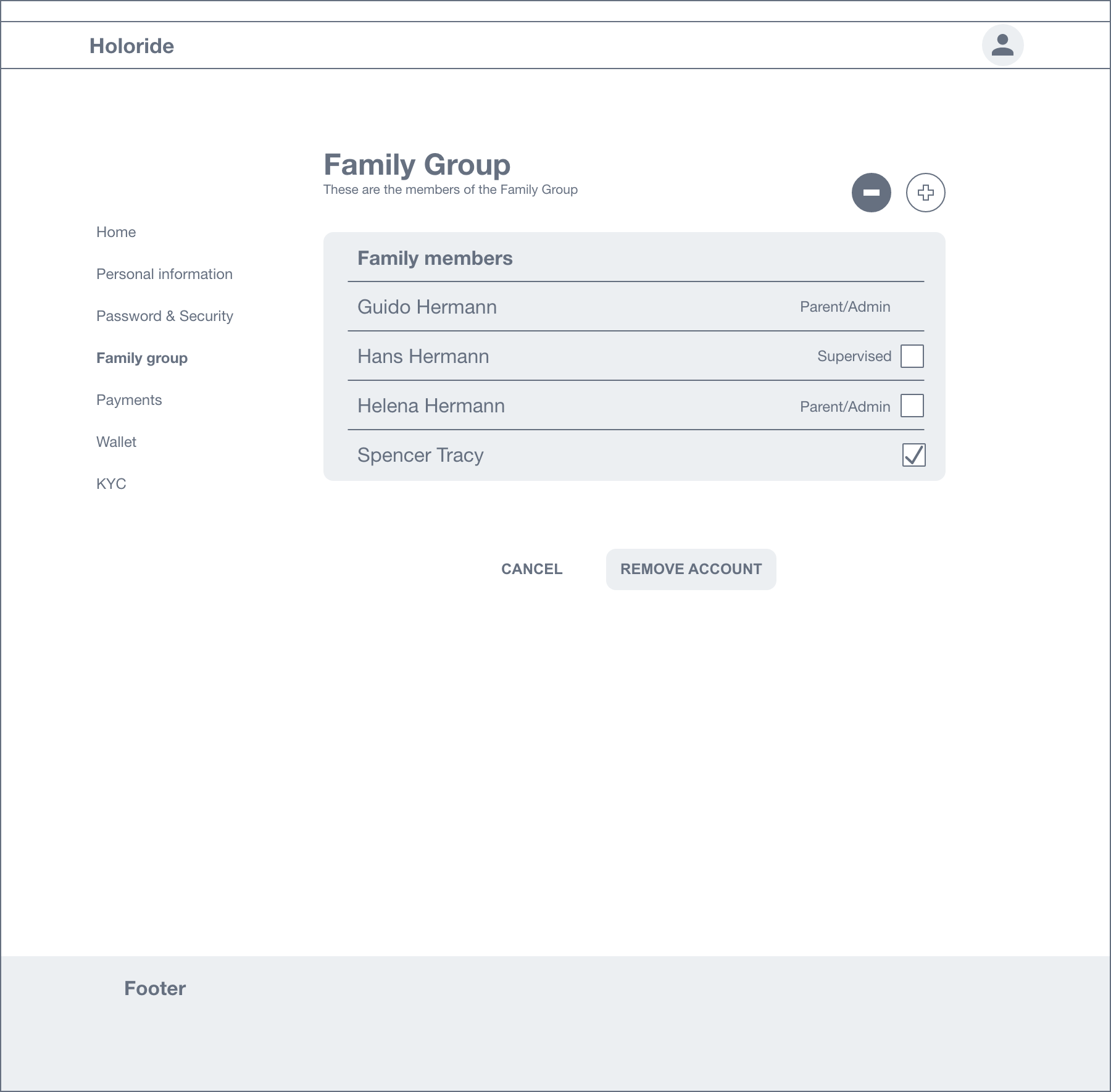
holoride Wireframe 1
holoride Wireframe 2
holoride Wireframe 3
holoride Wireframe 4
holoride Wireframe 5
holoride Wireframe 6

Concept wireframe iteration

7. Outcome & Impact

Scalable Platform Foundation: Built the architectural backbone supporting secure VR session pairing, subscription management, and third-party app access.

Reduced Setup Friction: Streamlined onboarding ensured high setup completion rates across VR headset pairing sessions.

Modular Architecture: Established an extensible component system, allowing future product teams to ship new subscription tiers and Web3 features without structural redesigns.

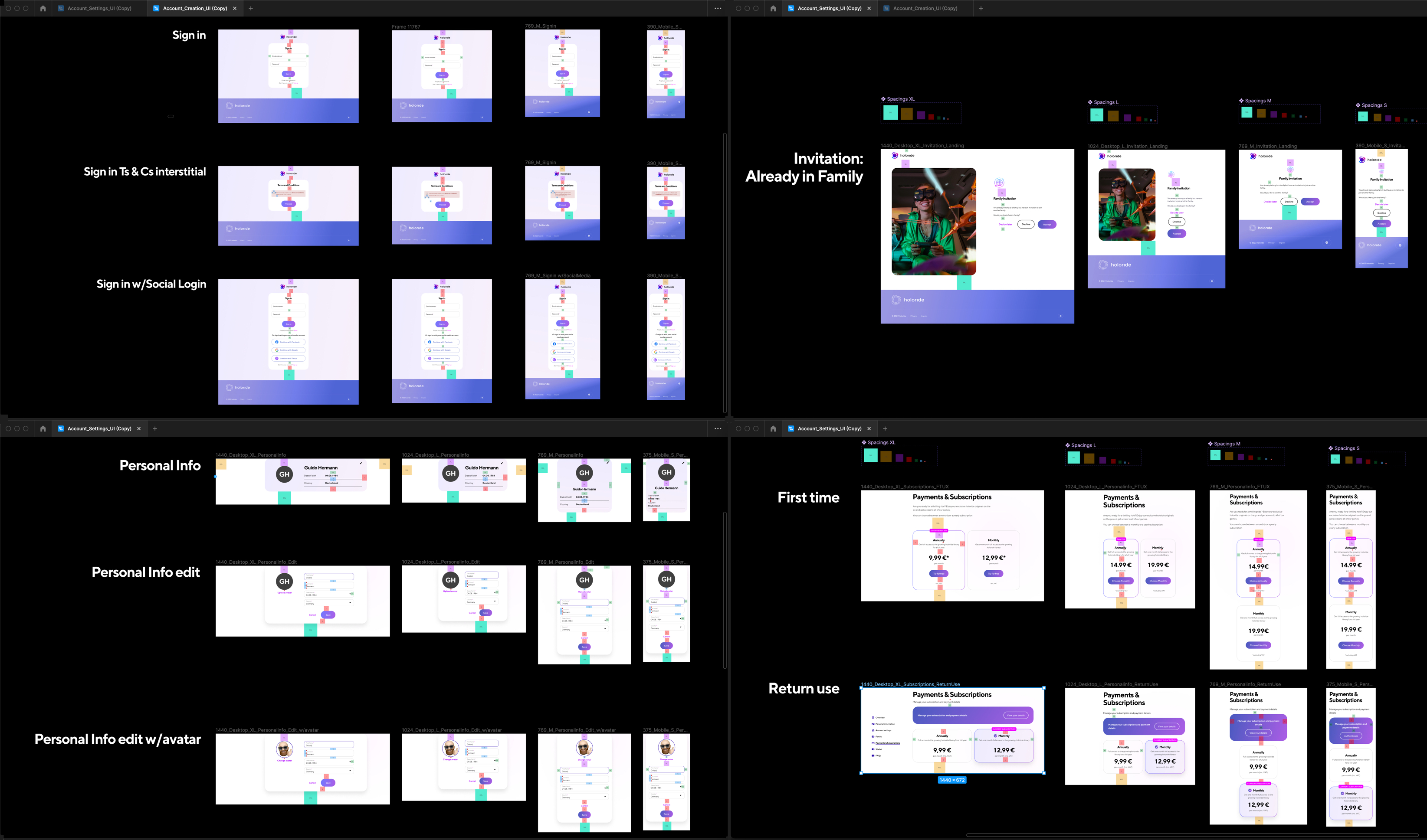
holoride desktop screenshots

Desktop screenshots

holoride mobile screenshots

Mobile screenshots

holoride design specifications

Design specification

Additional designs

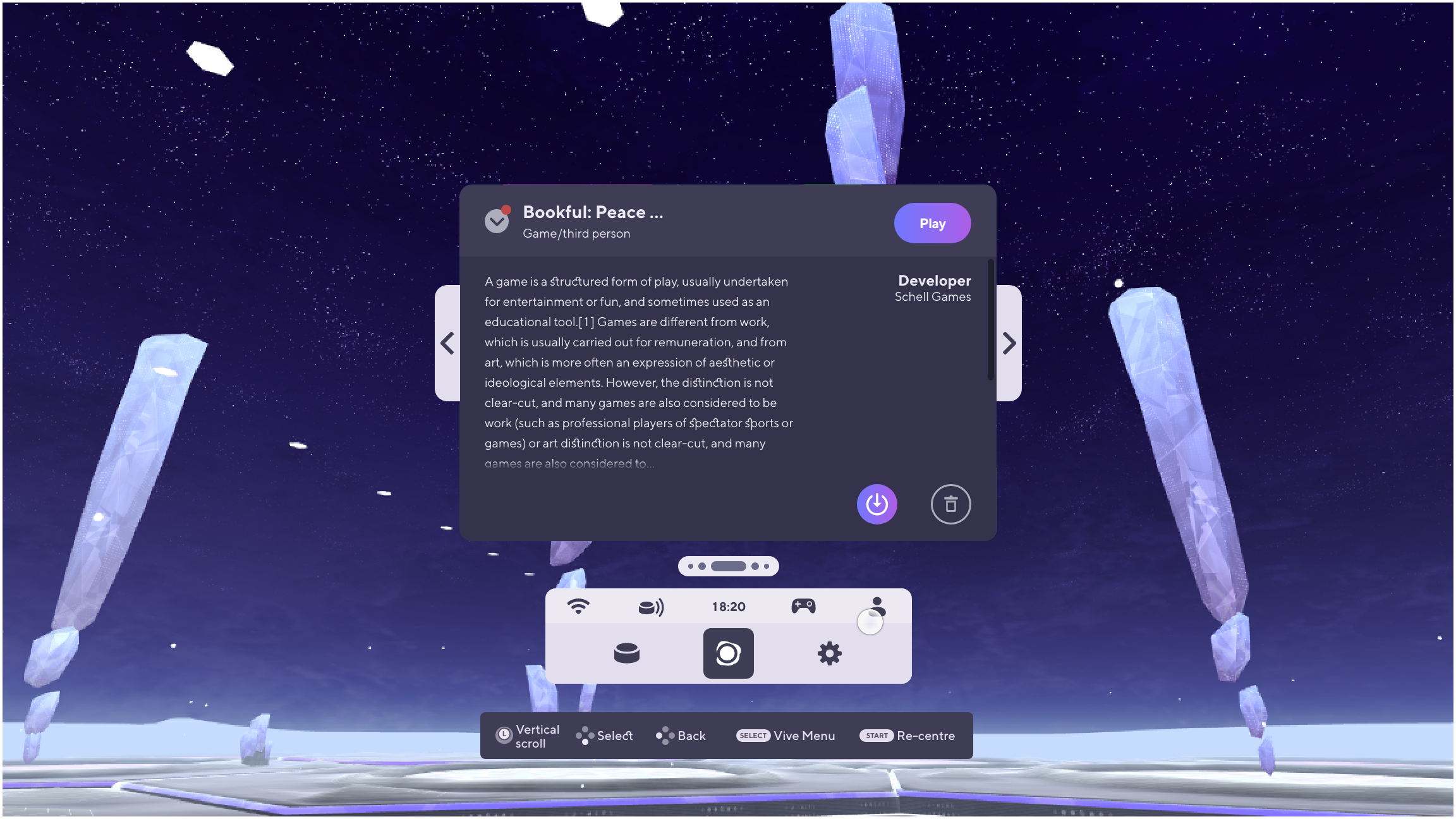
VR app UI design

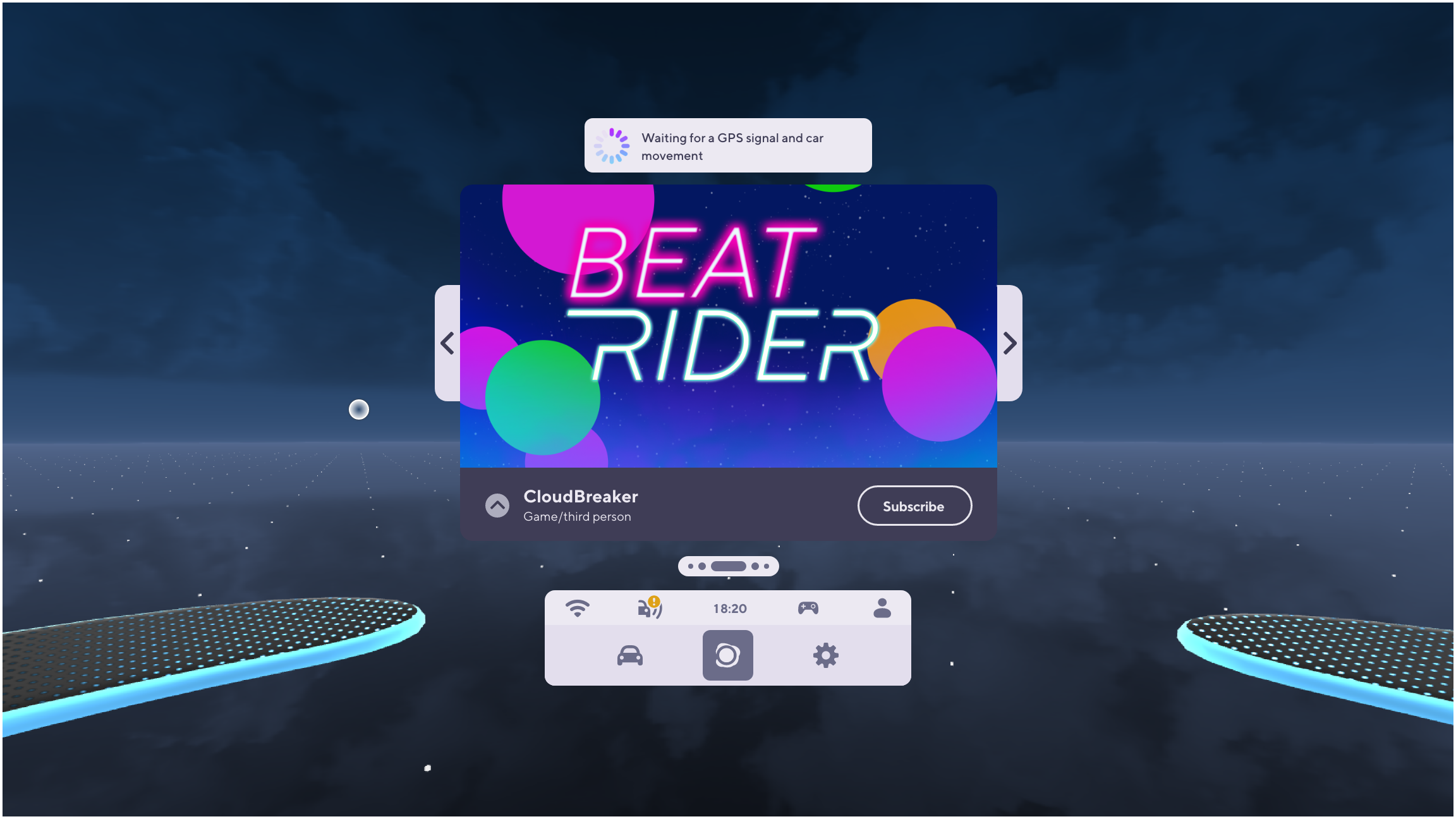
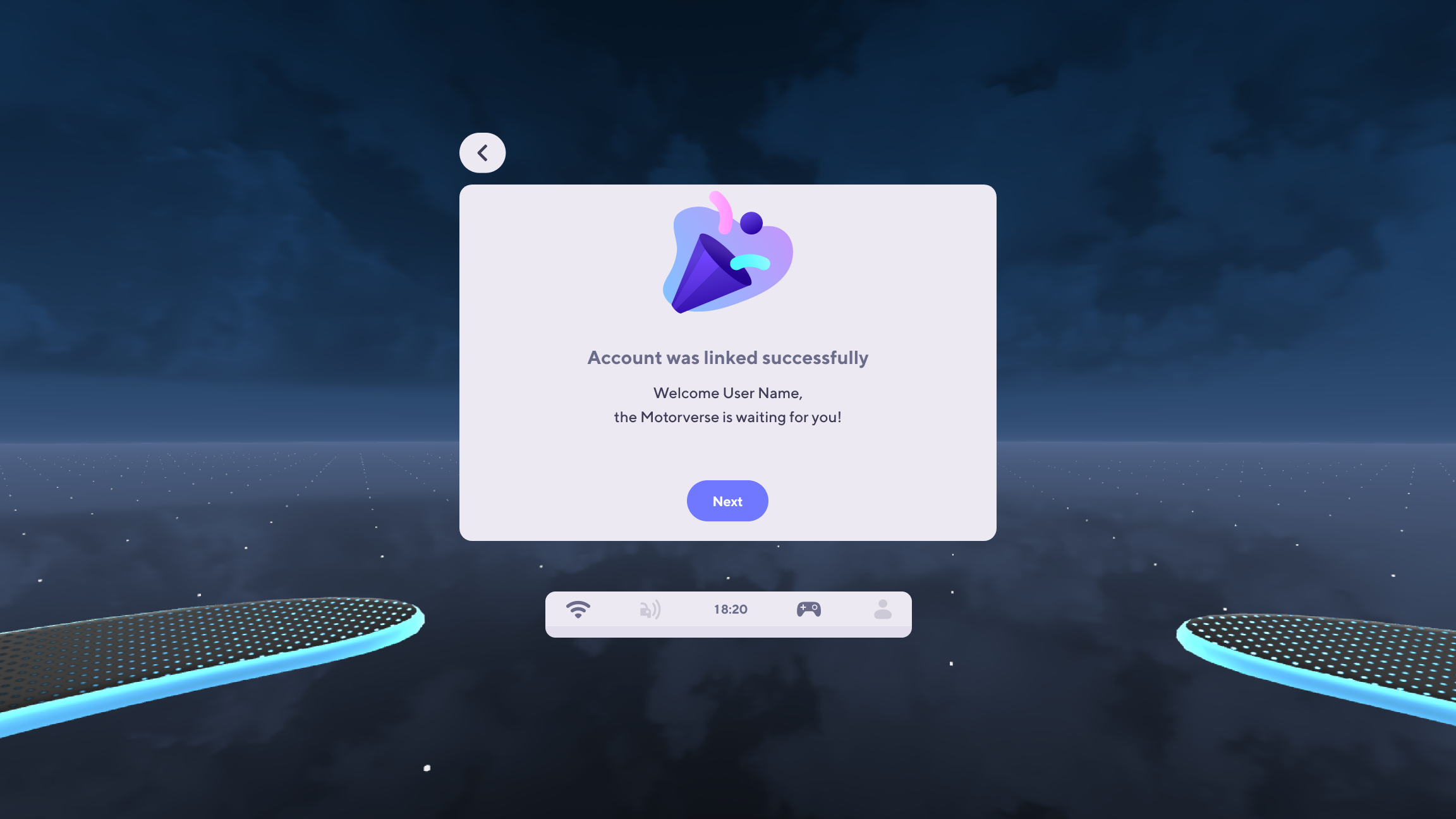
Further to the account management app design, I also contributed multiple design iterations for the VR app UI, refining them into launch-ready final designs. Below is a selection of customizable templates, optimized for various in-app scenarios and ready for Unity deployment.

holoride VR UI overview
holoride VR UI 2
holoride VR UI 3
holoride VR UI 4
holoride VR UI 5

VR app UI

← Previous Case Study Next Case Study: OptiworX →